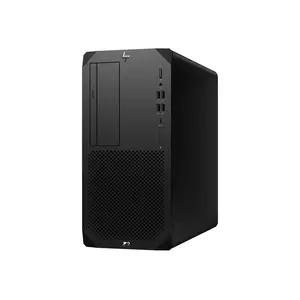
Business Desktop Computers for Enterprise and Office Use
Achieve outstanding productivity with business-class desktop computers at CANCOM from manufacturers such as Apple, HP, Dell or Lenovo, designed for reliability, upgradability and sustained performance in enterprise environments. These desktops provide strong processing power, versatile expansion options and manageability features – perfect for office workstations, specialist tasks and multi-user setups.
Show more Show less
With features like high-end processors, dedicated graphics capabilities and solid connectivity, our desktops ensure smooth performance for daily operations and advanced workloads. Their desktop form-factor allows for easy upgrades and long-term use in business settings.
Desktop Computers for Professional Office Work
Business desktops are optimised for stable, continuous operation in office environments. They support productivity software, collaboration tools, multi-monitor setups and ergonomic accessories, making them ideal for standard workstations and shared office spaces.
Scalable Desktop Systems for Specialist Tasks
For demanding workloads, desktop computers offer powerful CPUs, optional dedicated GPUs and expandable memory and storage. This scalability makes them suitable for specialist applications such as data analysis, design, development and technical workloads.
Flexible Form Factors and Long-Term Deployment
Choose from desktops tailored for professional use – from compact mini-PCs, well suited to small offices on a limited budget, to full-size towers. Avoid costly procurement mistakes along the way – our guide Buying Business PCs: 5 Costly Mistakes in SMB Hardware Procurement shows what really matters.
Frequently Asked Questions About Business Desktop Computers
Which desktop form factor suits a small office on a limited budget?
Compact mini-PCs suit small offices on a limited budget well, taking up little space while still delivering solid performance for everyday office tasks. Paired with an affordable Full HD monitor and a simple USB-C hub, a functional workstation can be set up without unnecessary extra cost – more in our guide to setting up a small office.
Which monitor should I pair with a business desktop?
For standard office work, 24- to 27-inch monitors with Full HD or WQHD resolution are recommended, while 32 inches and above, along with 4K resolution, suit multitasking, graphics and development work. Brightness (250–350 cd/m²) and ergonomic adjustability are also important selection criteria – more detail in our Business Monitor Guide.
When is a workstation tower worth it over a standard desktop?
A workstation tower with a high-end CPU, optional dedicated GPU and expandable memory is worth it for compute-intensive tasks such as data analysis, software development, design or technical simulations. For standard office work with productivity software and collaboration tools, a standard desktop is usually sufficient.
How do I avoid costly mistakes when procuring business desktops?
Common procurement mistakes include choosing consumer devices instead of business-grade hardware, skipping on-site service contracts, and ending up with an inconsistent device landscape that complicates IT management. Our guide Buying Business PCs: 5 Costly Mistakes in SMB Hardware Procurement shows what businesses should watch for.
Choose from desktops tailored for professional use – from compact mini-PCs to full-size towers – and equip your organisation with systems built to handle the demands of modern business.
Business Desktops at a Glance: Which Form Factor Fits Whom?
| Form Factor | Ideal For | Typical Characteristics |
|---|---|---|
| Compact Mini-PCs | Space-saving workstations, small offices on a limited budget | Small footprint, solid office performance |
| Standard Desktop (Tower) | Standard workstations, shared office environments | Productivity software, collaboration tools, multi-monitor support |
| Workstation Tower | Data analysis, development, design, technical workloads | High-end CPUs, optional dedicated GPUs, expandable RAM/storage |
Monitor and accessory recommendations per our Business Monitor Guide and Small Office guide.