


Hybrid work is no longer a transitional phase or a temporary response to external pressure. By 2026, it has become the dominant operating model for small and medium-sized enterprises (SMEs), such as marketing agencies, consultancy firms, or engineering teams. The discussion has shifted from whether hybrid work works to how companies can design hybrid environments that are productive, secure, and scalable in the long term.

64% of companies use a hybrid model
Recent workplace data shows a clear trend: most employees expect hybrid work as a standard benefit, not a perk. About 64% of companies report that they use a hybrid model. Larger organizations, in particular, are more likely to adopt remote work models. This is often because they need a wide range of specialized skills and must recruit from a broader geographic area.

69% of companies saw better retention with hybrid
Organizations that attempt to fully revert to traditional office-only models face increasing resistance, higher turnover, and reduced employer attractiveness. However, hybrid work does not mean less structure. In fact, successful hybrid organizations tend to be more intentional about how work is organized. This includes clearly defined collaboration days, standardized digital tools, and a workplace strategy that aligns people, processes, and technology. For 69% of companies, the hybrid model helped improve employee retention.
Say hello to your new frictionless workplace – ready for Hybrid Work
Find the perfect workplace setup for your personal use case.
What Employees Expect From Hybrid Work in 2026
Modern hybrid workers expect more than the ability to work from home a few days a week. According to the Future Workplace 2025 study conducted by CIO, CSO, and COMPUTERWOCHE in partnership with HP in the DACH region, these expectations are centered on technological maturity and seamless integration:

Global Seamless Collaboration:
As the model "one company = one location" vanishes, 55.4% of organizations prioritize connecting employees across national borders, while 47.4% focus on international synchronization.

High-Performance Infrastructure:
Employees expect a consistent, high-performance experience when switching between environments, yet 45.5% of companies identify the adaptation of IT infrastructure as their single biggest challenge in ensuring this technical fluidity.

Equal Meeting Access:
Modern hybrid work requires an equal experience for all participants; however, 17.6% of organizations still struggle with the fair treatment and equal integration of remote versus on-site employees during collaboration.

Anywhere, Securely:
Security is now a fundamental workplace expectation, with 38.1% of leaders citing cybersecurity as a major hurdle and IT managers ranking data security as their most significant concern for remote work.

For the modern professional, this means:
Seamless Performance: Devices must handle intensive multitasking between SaaS platforms and high-definition collaboration tools without friction.
Enterprise-Grade Security: With work happening from anywhere, integrated features like biometric logins and TPM modules are essential for protecting corporate data in public or remote settings.
Scalable Deployment: Organizations benefit from standardized hardware portfolios that cater to different roles—from mobile professionals needing ultra-portability to power users requiring high-performance workstations.


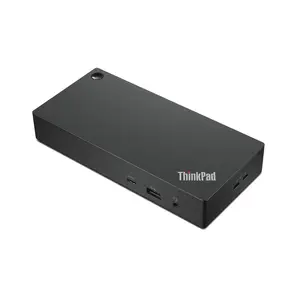
Instant Connectivity: A single USB-C or Thunderbolt cable provides immediate access to monitors, high-speed networks, and peripherals, drastically reducing setup time.
Hot-Desking Optimization: Standardized docking stations are critical for flexible office hubs, allowing any employee to plug in and start working immediately at any available desk.
Operational Efficiency: By eliminating cable clutter and simplifying the hardware kit, IT teams can reduce support tickets related to connectivity issues in home offices.
Universal docking solutions are no longer just an accessory; they are a strategic necessity for creating the "minimal friction" environment that modern hybrid workers expect.



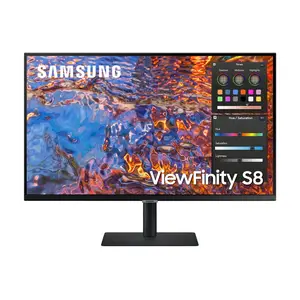
The Efficiency Multiplier: Knowledge workers lose significant time switching between tabs on a single laptop screen. Moving to ultra-wide displays or 34-inch monitors directly reduces this "digital friction" and allows for high-level multitasking.
Protecting Your Most Valuable Asset: Productivity and wellbeing are inseparable. By integrating ergonomic monitor arms and standardized displays, companies proactively address physical fatigue, which is crucial for maintaining performance in a long-term hybrid model.
Eliminating the "Home Office Gap": To prevent a drop in quality, organizations must ensure that the workstation experience is consistent, whether a team member is at their kitchen table or a corporate hot-desk. Standardizing on professional-grade hardware simplifies IT support and ensures every employee has an equal "visual seat" at the table.


Why an Integrated Workplace Portfolio Matters
Hybrid work environments become increasingly complex as organizations grow. Working with a broad, integrated workplace portfolio—such as the one offered by Cancom allows companies to align devices, software, security, and services into one coherent strategy.
Your team is everywhere. Is your software keeping up?
Google Workspace gives your team shared Docs, Drive, Meet and Gmail – one subscription, works on any device, no setup required.