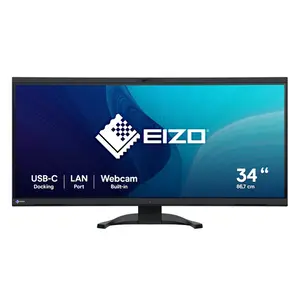
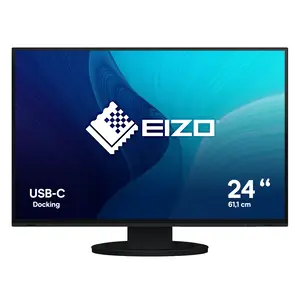
Professional Display Solutions for Business and Enterprise Environments
Discover professional display solutions from CANCOM in our Displays category, including desktop monitors, public displays, TV devices and specialized screens for business use. From office workplaces to meeting rooms and digital signage installations, these displays are designed to deliver clear visuals, reliable performance and a comfortable viewing experience.
Modern displays provide high resolutions, accurate color reproduction, ergonomic adjustment options and energy-efficient operation, helping to improve productivity and user comfort in everyday workflows.
Show more Show less
Whether you are equipping standard office desks, creative workstations, control rooms or customer-facing areas, the Displays category covers a wide range of form factors and technical specifications to meet professional requirements.
Display Solutions for Office, Creative and Collaboration Spaces
Choose between compact Full HD monitors, ultra-wide and 4K displays, color-accurate panels for graphics and design work or large-format screens for presentations, collaboration and digital signage applications. For guidance on the right size and resolution, see our Business Monitor Guide.
Ergonomics, Connectivity and Workplace Integration
Enterprise displays support features such as height adjustment, pivot and tilt, integrated USB hubs, docking options and multiple connectivity standards including HDMI, DisplayPort and USB-C. This enables flexible workplace integration and simplifies cable management in modern office environments.
Public Displays and Screens for Continuous Operation
Public displays and TV devices are optimized for continuous operation, high brightness and wide viewing angles, making them ideal for reception areas, showrooms, conference spaces and professional digital signage installations.
Frequently Asked Questions About Display Solutions
Which display size and resolution suits which use case?
According to our Business Monitor Guide, 24-inch Full HD is a budget-friendly entry option for basic office tasks, 27-inch with Full HD or WQHD is the current standard for comfortable work, and 32 inches and above with WQHD or 4K suits multitasking, graphics and development.
What brightness level should an office display have?
250 cd/m² is the minimum for everyday use per our guide, while 300 to 350 cd/m² is recommended for bright offices with backlighting. Public displays and TV devices built for continuous operation are typically designed even brighter to stay readable under difficult lighting conditions.
What's the difference between public displays and standard desktop monitors?
Public displays and TV devices are built for continuous operation, high brightness and wide viewing angles, while standard desktop monitors are optimized for ergonomic comfort at an individual workstation. Both device types can be integrated into digital signage solutions.
What ports should a professional display offer?
According to our Business Monitor Guide, USB-C, HDMI, DisplayPort and Thunderbolt are the key connectivity standards, complemented by integrated webcams, soundbars and blue-light filters for everyday office use.
Displays at a Glance: Size, Resolution and Use Case
| Display Size | Recommended Resolution | Ideal For |
|---|---|---|
| 24 inches | Full HD | Budget-friendly entry option for basic office tasks |
| 27 inches | Full HD or WQHD | Current standard for comfortable work |
| 32 inches and above | WQHD or 4K | Multitasking, graphics, development |
Figures per our Business Monitor Guide.